
Install on Linux
All the ways to install Vicinae on Linux: from your distribution's package repositories, using the installation script, or building from source.
Package repositories
The most direct way to install Vicinae, if your distribution is covered. If it's not, use the install script instead.
Arch Linux (AUR)
Vicinae is available on the Arch User Repository (AUR) in three variants:
-
Source build
- vicinae – stable release, compiled from source
- vicinae-git – latest development version, compiled from source
-
Prebuilt binary
- vicinae-bin – stable release, precompiled binary
You can install Vicinae using your preferred AUR helper.
yay -S vicinae-bin
Gentoo
Thanks to jaredallard for providing an ebuild through his overlay!
eselect repository add jaredallard-overlay git https://github.com/jaredallard/overlay.git
emerge --sync jaredallard-overlay
emerge gui-apps/vicinae
Fedora and Derivatives
COPR
Vicinae is packaged on COPR.
dnf copr enable quadratech188/vicinae
dnf install vicinae
Terra
Vicinae is also availible from Terra.
Start with installing Terra:
sudo dnf install --nogpgcheck --repofrompath 'terra,https://repos.fyralabs.com/terra$releasever' terra-release
Then install Vicinae:
sudo dnf install vicinae
On Fedora Atomic:
curl -fsSL https://github.com/terrapkg/subatomic-repos/raw/main/terra.repo | pkexec tee /etc/yum.repos.d/terra.repo
sudo rpm-ostree install terra-release vicinae
Bazzite users don't need to install Terra. Just set enabled to 1 in /etc/yum.repos.d/terra.repo then use rpm-ostree:
sudo rpm-ostree install vicinae
NixOS
Vicinae ships its own Nix flake and Home Manager module. See the dedicated NixOS page.
Install script
If your distribution is not covered above, Vicinae can be installed using an automated installation script that provides a hassle-free setup experience with minimal configuration required.
If Vicinae is already packaged by your distribution, you should install it through your package manager instead for better system integration and automatic updates.
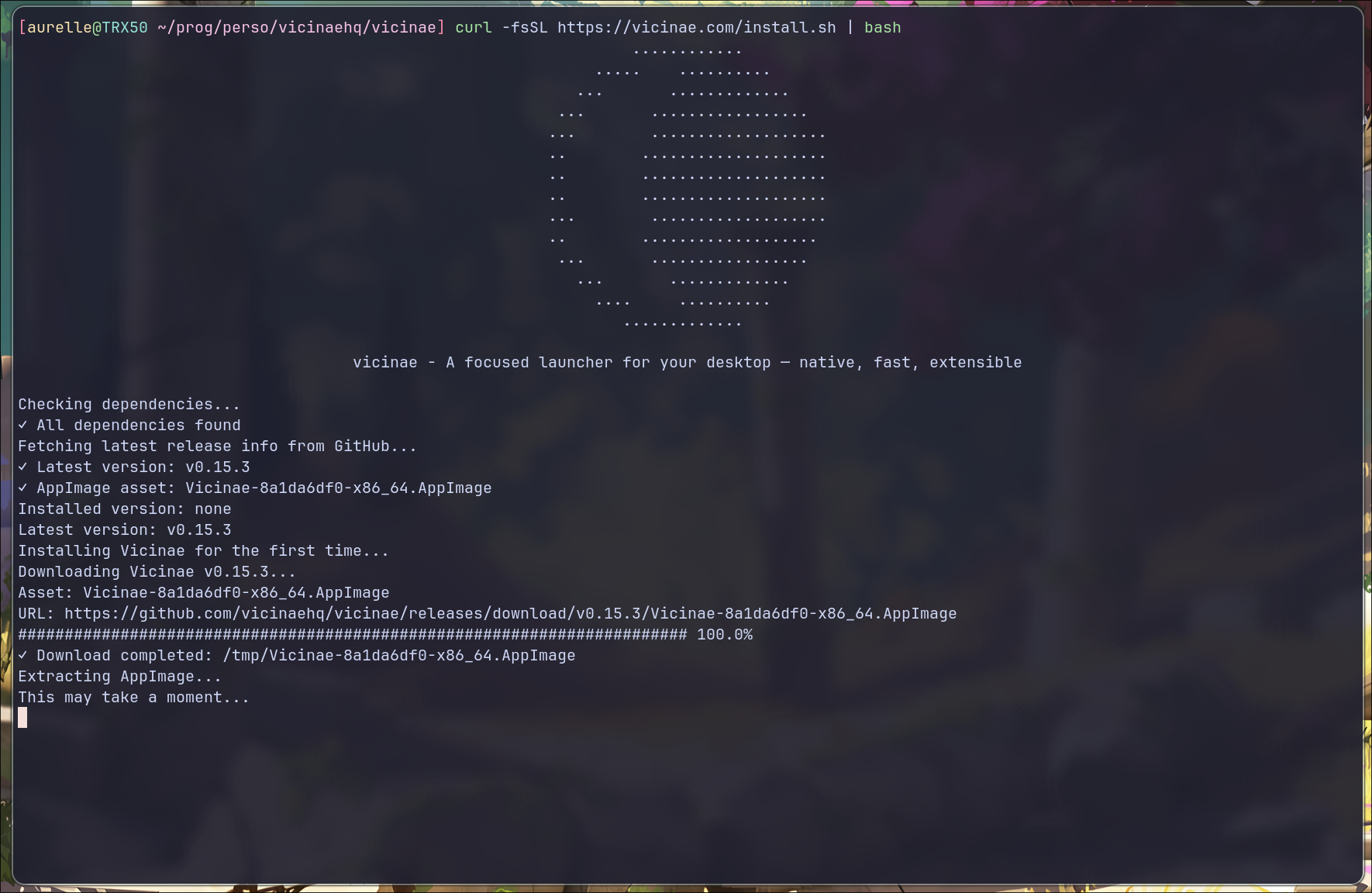
Installation script by @dagimg-dot
Quick Install
Run the following command to install Vicinae:
curl -fsSL https://vicinae.com/install | bash
The above command will prompt you to enter your sudo password, as elevated privileges are required to install Vicinae under /usr/local, which is the default installation prefix.
Note that it is possible to install Vicinae without root access, although it requires more setup. More on that below.
The installation script will automatically:
- Download the latest AppImage from GitHub releases
- Extract Vicinae and all its runtime dependencies to
/usr/local/lib/vicinae - Create symbolic links for binaries in your PATH
- Install desktop files, icons, and default themes
- Set up
vicinae-nodefor seamless TypeScript extension support. This is a regular Node.js binary included to run extensions.
After installation completes, verify it was successful:
$> vicinae version
Version v0.16.2 (commit b99015bc2)
Build: GCC 15.2.0 - Release - LTO
Provenance: appimage
Update
To update Vicinae, run the installation script again. It will detect your existing installation (if using the same prefix) and update it.
curl -fsSL https://vicinae.com/install | bash
Uninstall
To uninstall Vicinae, run the installation script with the --uninstall argument:
curl -fsSL https://vicinae.com/install | bash -s -- --uninstall
Install with custom prefix
By default, the script tries to install Vicinae under /usr/local, but for users with specific constraints (e.g., no root access), this might not be desirable.
To accommodate these users, the script provides a --prefix option:
curl -fsSL https://vicinae.com/install | bash -s -- --prefix ~/.local
Custom prefix caveats
In order to have a fully working installation of Vicinae, you need to make sure that:
- The Vicinae server knows where to find the
vicinae-nodebinary. If you set your PATH in~/.bashrcor~/.zshrc, the Vicinae server might not have the correct PATH set, as it might be started before those files are sourced. - The Vicinae desktop file that declares the
x-scheme-handler/vicinaeandx-scheme-handler/raycastMIME type associations should be searchable by the standard XDG tooling. You can verify this is working by opening any Vicinae deeplink, e.g.,xdg-open vicinae://toggle. If this is not working, some features such as the OAuth extension flow will not work.
Build from source
If none of the above fits your needs, you can always build Vicinae from source.