
Introduction
Vicinae extensions are written in TypeScript using React components. There is no browser involved: your code produces a serialized UI tree that the C++ core renders natively.
How it works
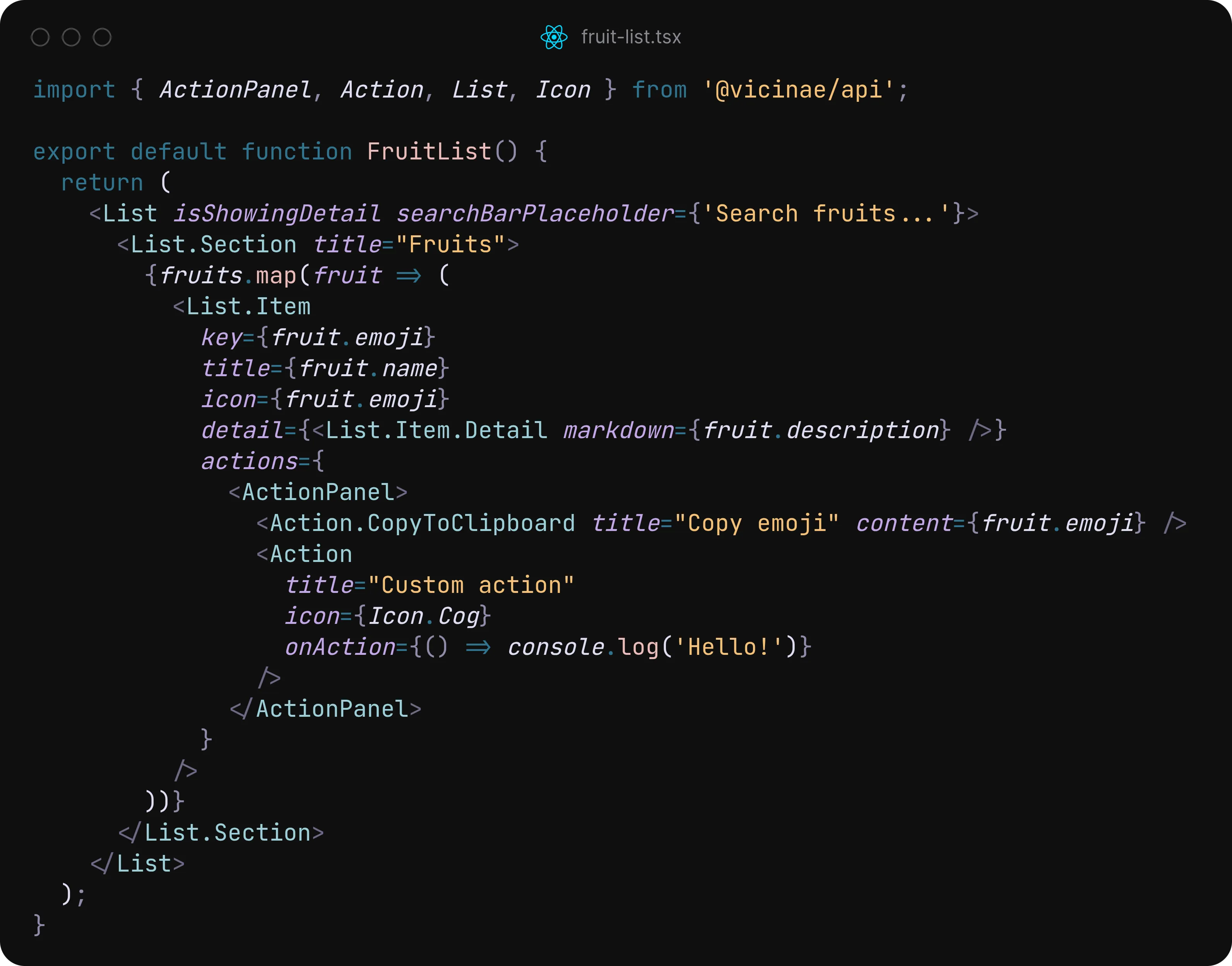
You write declarative React components using the @vicinae/api package. When state changes, components rerender and Vicinae handles the rest. All standard Node.js APIs are available.
import { ActionPanel, Action, List } from "@vicinae/api";
import { fruits } from "./data";

export default function FruitList() {
  return (
    <List isShowingDetail searchBarPlaceholder="Search fruits...">
      {fruits.map((fruit) => (
        <List.Item
          key={fruit.emoji}
          title={fruit.name}
          icon={fruit.emoji}
          detail={<List.Item.Detail markdown={fruit.description} />}
          actions={
            <ActionPanel>
              <Action.CopyToClipboard title="Copy emoji" content={fruit.emoji} />
            </ActionPanel>
          }
        />
      ))}
    </List>
  );
}
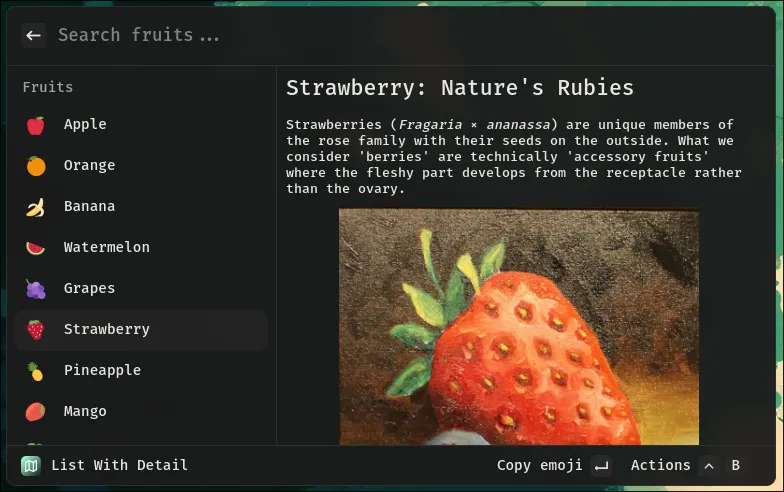
Search, markdown rendering, and keyboard navigation all work automatically.
Raycast compatibility
Our API closely follows the Raycast API, and our long-term goal is compatibility with most existing Raycast extensions. We also offer exclusive APIs where it makes sense.
Since Vicinae is open source and community-driven, we prioritize API features that users want most.