dmenu Mode
Vicinae supports a special "dmenu" mode that can be used to generate a list view from a newline-delimited list of entries passed through standard input. It is named in reference to the popular dmenu unix program.
This is useful in order to quickly create simpler menus. If you are looking to build more complex menus, you should look into making your own extension.
Usage
To use dmenu mode, you need to use the vicinae dmenu subcommand:
Generate a list of options
echo -e 'option 1\noption 2\noption 3\n' | vicinae dmenu --placeholder "Select option"
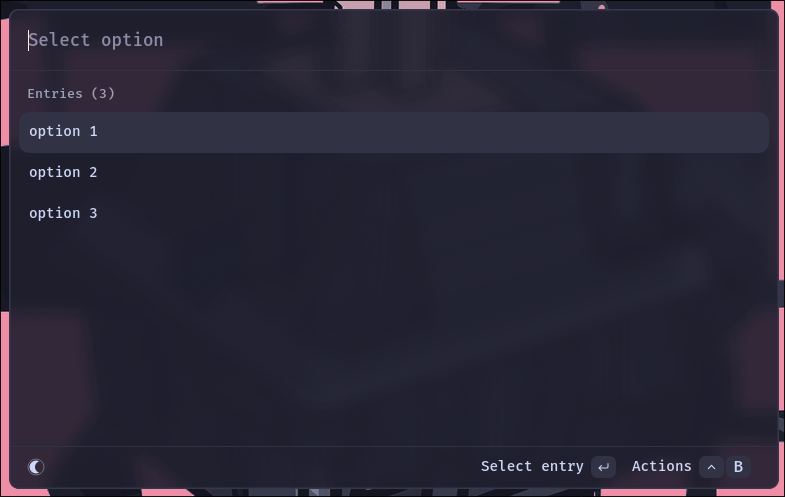
You can get a full list of available options with vicinae dmenu --help.
Quick look
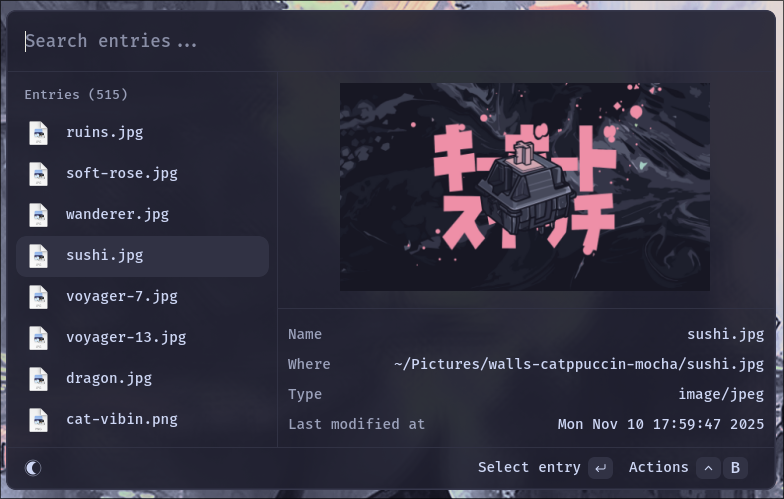
Since version 0.16.3, dmenu mode supports a quick look feature when absolute file paths are used as inputs.
This enables quick file searches or even simple wallpaper pickers.
# a simple wallpaper picker
swww img $(find ~/Pictures/walls -type f | vicinae dmenu -p 'Pick a wallpaper...')

# a quick way to browse some files (10,000+ files can become a bit laggy)
xdg-open $(find ~/Desktop/invoices -name '*.pdf' | vicinae dmenu -p 'Select invoice...')
If quick look is not desired, it is possible to fully turn it off by passing the --no-quick-look flag.