
macOS quickstart
Tips and tricks on getting started with Vicinae on macOS.
Permissions
Required permissions
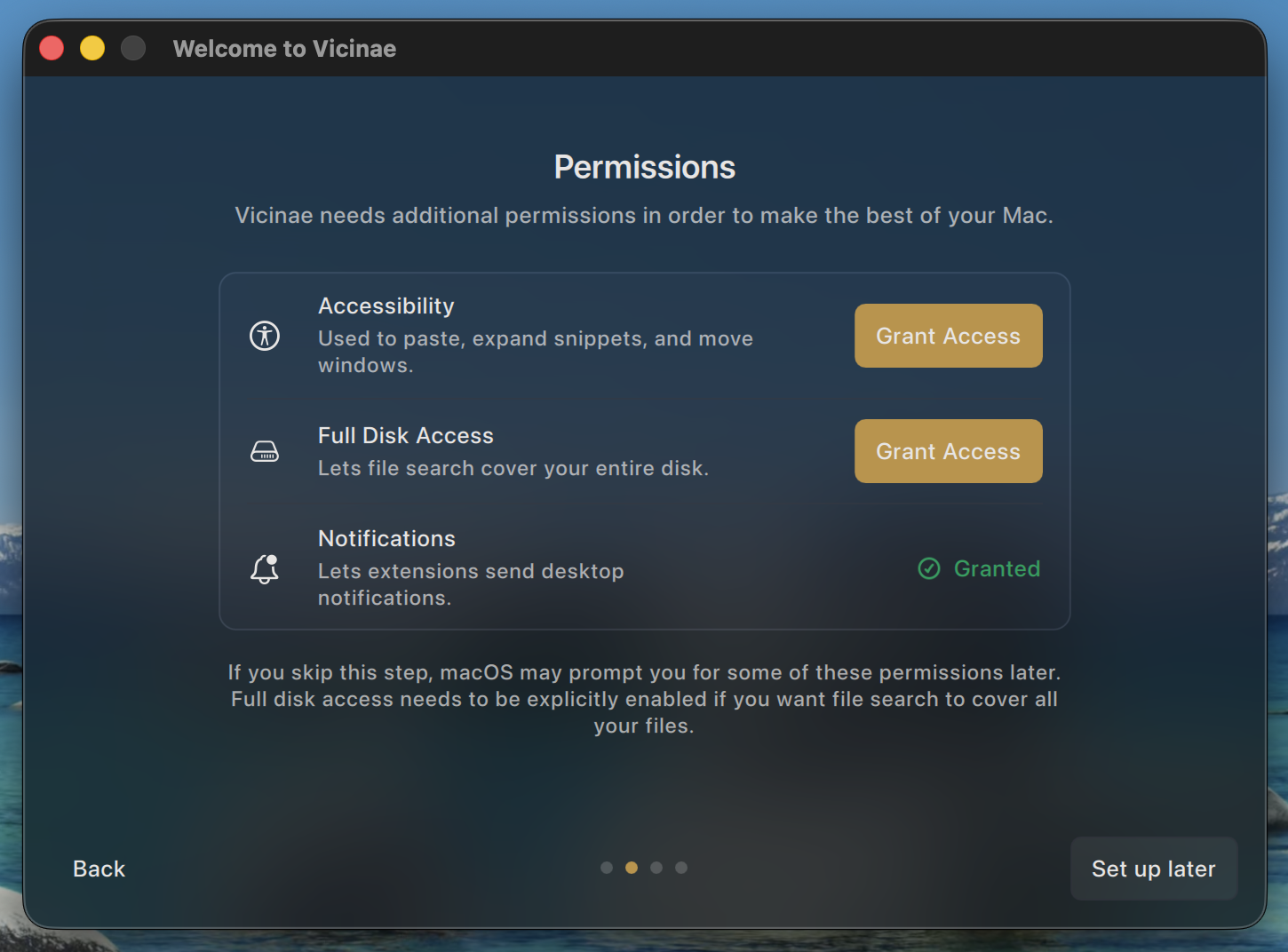
The first time you start Vicinae, you will be greeted by an onboarding step asking you to give basic permissions needed for Vicinae to work in optimal settings.
- The accessibiltiy permission is required in order to implement basic features such as paste, snippets, and window management.
- Full disk access is required so that the Spotlight integration can find all your files, including those present in user protected directories. Some extensions may also need it, e.g the Apple Notes extension requires FDA in order to read the SQLite database the Notes app uses.
- The notifications permissions can be granted to Vicinae as some extensions, especially those kicking of tasks in the background, can use the
sendDesktopNotificationAPI to send you proper desktop notifications.
You are not obligated to give any permission to start using Vicinae, but all of the above is strongly recommended.
Vicinae may prompt you for additional permissions on a per use case basis, e.g if some command requires the use of AppleScript.
Reset permissions
As for any other Mac app, you can reset all permissions granted to Vicinae with tccutil:
tccutil reset All com.vicinaehq.Vicinae
This alone won't reset the onboarding state, though. To do so:
rm -f ~/.local/state/vicinae/onboarding.json
Then, you can restart Vicinae and you will get the onboarding step again.
Autostart
If you didn't unselect it during onboarding, Vicinae will automatically create a login item so that it gets started on boot.
Appearance
Liquid glass VS vibrancy
Vicinae supports two distinct materials for its main window:
- Liquid glass, the new material introduced with macOS Tahoe
- Vibrancy or blur, which has been traditionally used by panels in previous macOS versions
You can configure the material and the opacity to use in the settings.
Nix
Nix users will want to configure most of of the above in a declarative manner. Vicinae, as built by the nix flake, will present the following differences:
- No login item created on first startup, a proper launchd integration must be used
- SoulverCore calculator backend is not automatically downloaded and included in the bundle