
Script commands are one of the easiest ways to extend Vicinae. They allow you to index regular scripts written in any programming language and execute them directly from the Vicinae root search.
Script commands are meant to make executing one-shot tasks easier and provide nice feedback. If you want to build complex extensions that render lists, grids, forms and integrate more deeply with Vicinae, you should look into making your own extension.
Vicinae script commands are very similar to Raycast script commands, and are mostly compatible with them. Learn more about the main differences.
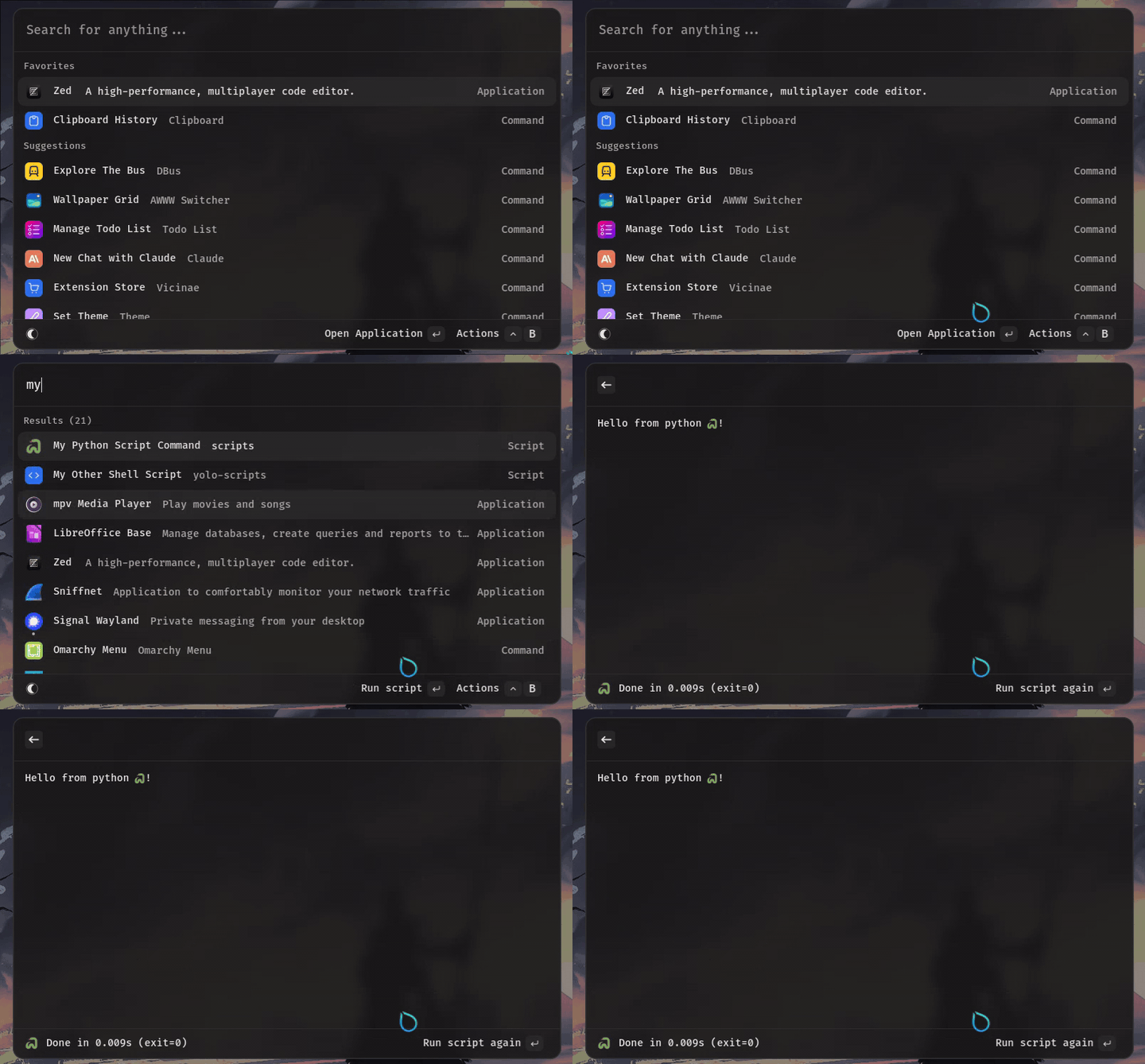
Getting started with script commands
Script commands are just scripts with a few additional directives on top, used to instruct Vicinae how to index and execute them.
Where to put scripts
By default, scripts are sourced from system directories. A common directory to put scripts in is ~/.local/share/vicinae/scripts.
Script directories can contain as many scripts as desired, and support subdirectories (max depth is limited to 5).
It is possible to add additional directories from which to source scripts in the settings.
Example script
The only requirement for a script file is to be a plain text file with three directives on top. Here is a typical Python script:
#!/usr/bin/env python3
# @vicinae.schemaVersion 1
# @vicinae.title My Script
# @vicinae.mode fullOutput

print("Hello world!")
Understanding directives
The @vicinae.schemaVersion directive should always be set to 1 and may be used to introduce changes to the specification in the future.
The @vicinae.title directive tells Vicinae what name the script goes by, so that you can search it using this name.
The @vicinae.mode directive dictates how the output of the script should be presented. fullOutput will push a new view and print the output there.
These three directives are required in order for Vicinae to index the script, but other directives are available to further customize the script. See the directives page for an exhaustive list.
Script files should be given executable permission. The shebang line on top #!/usr/bin/env python3 indicates to the executable loader what interpreter should be used to execute the script.
Note that it is possible to specify a fully custom command line by using the @vicinae.exec directive, removing the need to make the script executable or use a shebang.
You can generate a script template similar to this one with the vicinae script template --title "My Script" --lang=python command.
Reloading scripts
Script directories are scanned at startup and every once in a while, but can also be reloaded manually using the Vicinae "Reload Script Directories" command, directly available from the root search.
Only top-level script directories are watched for changes, not subdirectories.